WEB WORKBENCH

My Project Workspace

A collection of systems, experiments, and builds

How to Turn a Non-Smart TV Into a Smart TV Using a Roku Stick

Introduction

Many older televisions still have excellent picture quality but lack modern streaming apps such as Netflix, Disney+, BBC iPlayer and other online services. If your television has an HDMI port and a working USB port, you can often give it a new lease of life for very little money.

In this guide I show how I converted an older television into a smart TV using a Roku Streaming Stick. The television itself was obtained free from Facebook Marketplace and the Roku Stick was purchased second-hand, making the total cost around £20.

This type of setup is ideal for a child's bedroom, spare room, guest room, caravan or anywhere you need a television without spending hundreds of pounds on a new smart TV.
Why Consider an Older TV?

Many people automatically replace a television when it no longer supports modern apps. However, the screen itself may still work perfectly.

Older flatscreen TVs are often given away for free or sold very cheaply on Facebook Marketplace and local selling groups. Many are still fully functional but replaced simply because they are not “smart”.

For a child's bedroom this can be particularly useful. If the television becomes damaged, replacing an older second-hand TV is often much cheaper than replacing a modern smart TV.

In many households streaming services are now used more than traditional broadcast television. Adding a streaming device allows an older TV to access modern content without replacing the screen itself.

Finding or Checking a TV

Before buying a Roku Stick, you need a television with:

• HDMI port
• USB port for power (or access to a USB power source)

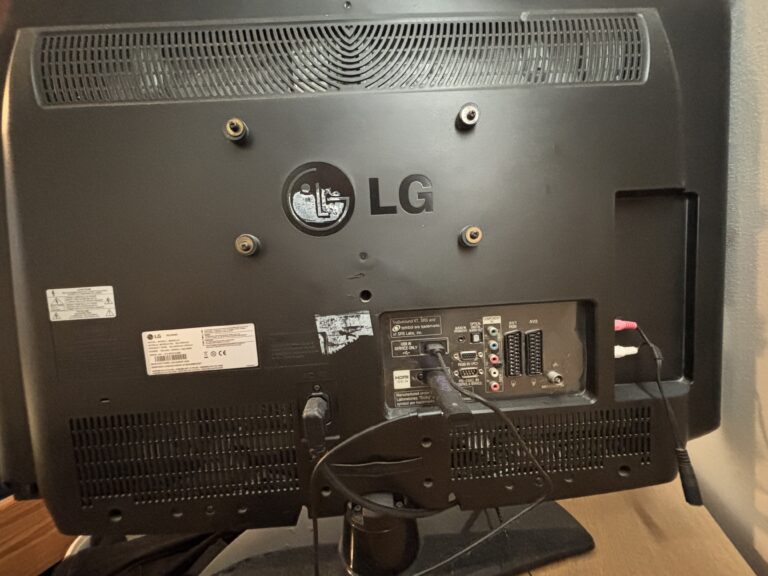
If you already have a spare TV, check the back or side for these connections. Most modern and older flatscreen TVs include HDMI, and many include USB ports that can power small devices like streaming sticks.

If you do not already have a TV, this setup works especially well with:

• Free TVs from Facebook Marketplace
• Local selling groups
• Family or friends
• Second-hand electronics shops

Many older flatscreen TVs are still fully working but are often given away cheaply or for free.

Once you have a compatible TV, you can turn it into a smart streaming setup for very little cost.

What You Will Need

• A television with an HDMI port
• A working USB port (for power)
• A Roku Streaming Stick
• A Wi-Fi connection
• A Roku account (free)

The setup process usually takes less than fifteen minutes.

I use Roku because it is a well-supported and widely available streaming platform. Updates are very easy and quick.

Roku devices can be found on:

• Amazon
• eBay
• Online retailers and electronics shops

Prices typically range from:

• £20–£35 for entry-level or second-hand devices
• Higher for newer or higher performance models

There are also different Roku models available, offering higher performance and better streaming quality depending on your budget and needs.

Power Note

The Roku Stick used in this setup runs entirely from USB power.

In most cases:

• The TV’s USB port will power the device
• If not, a USB mains adapter can be used

This guide focuses on keeping the setup as simple and low-cost as possible.

Connecting the Roku Stick

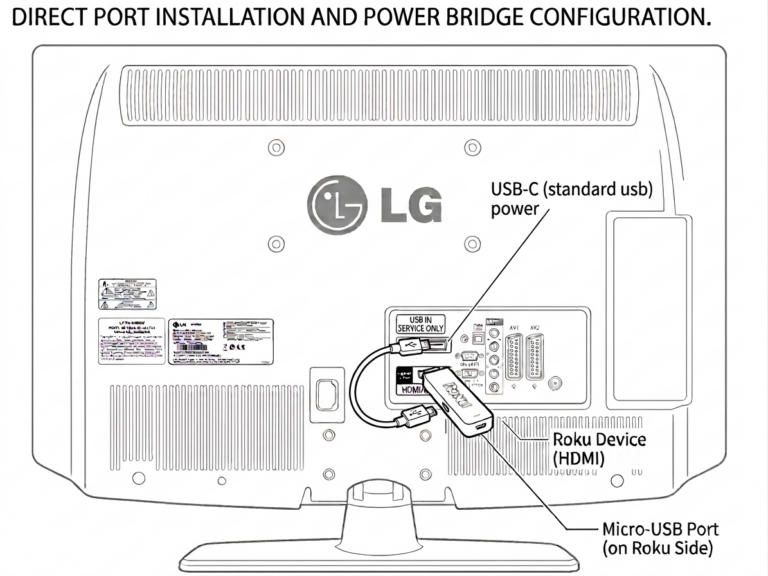
The Roku Stick plugs directly into an HDMI port on the television.

Power is supplied via the TV’s USB port.

Once connected:

• Turn on the television
• Select the correct HDMI input
• Follow the Roku setup wizard
• Connect to Wi-Fi
• Sign into your Roku account (free)

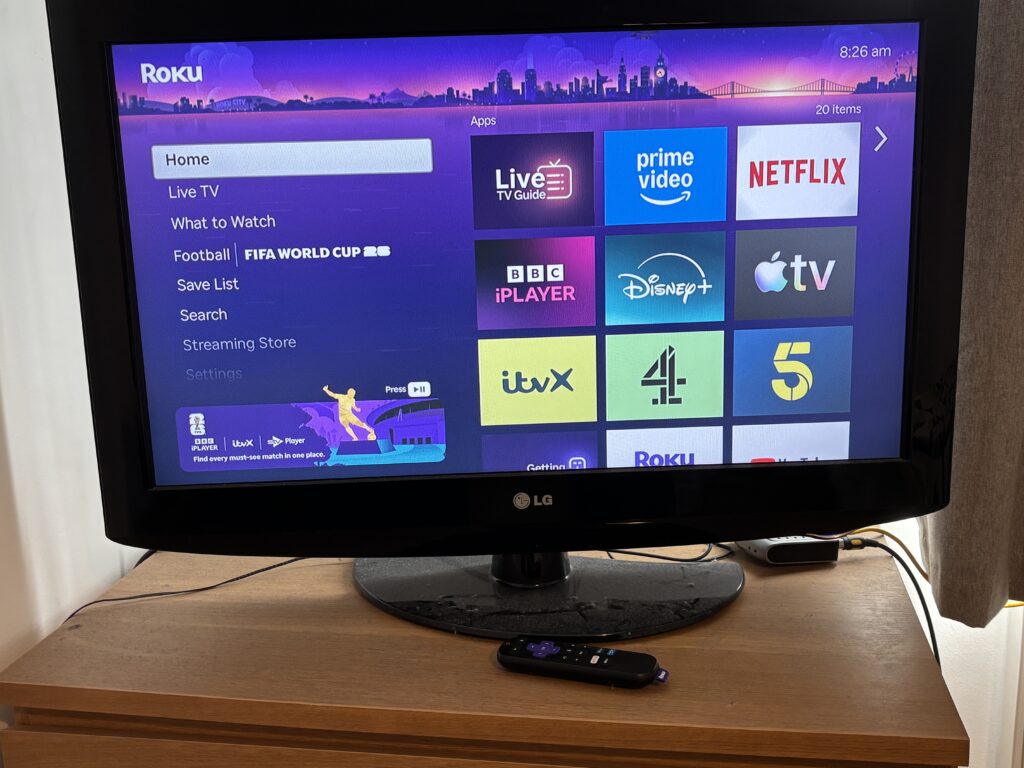
After setup, the Roku home screen will appear.

Back of my LG TV

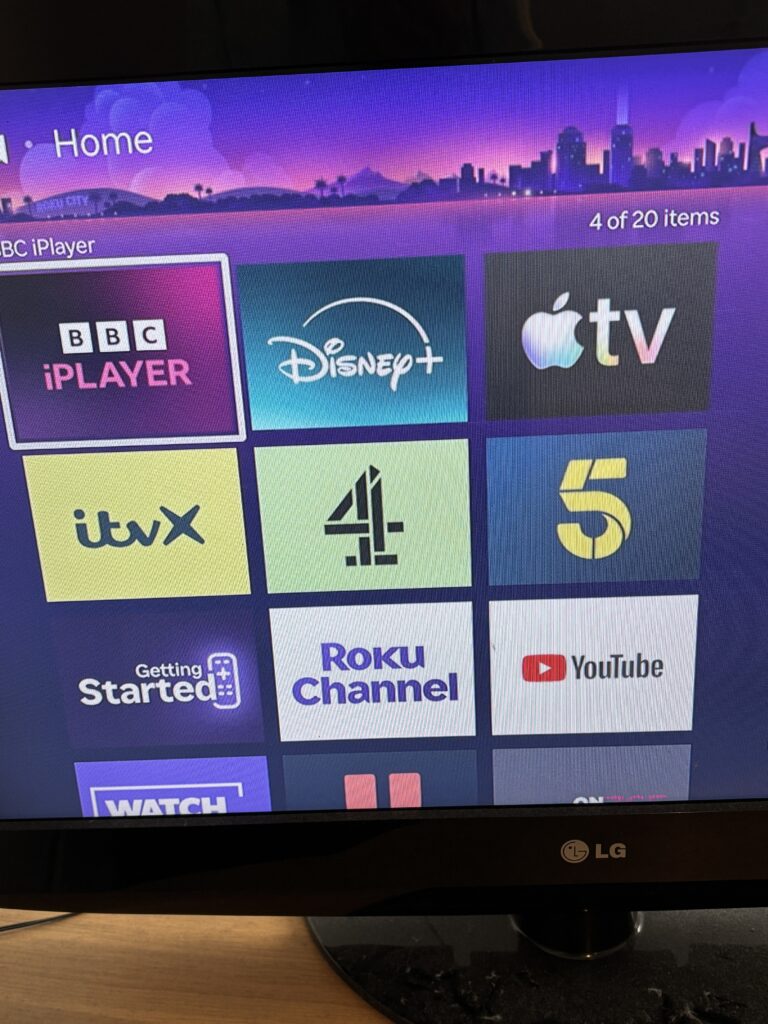
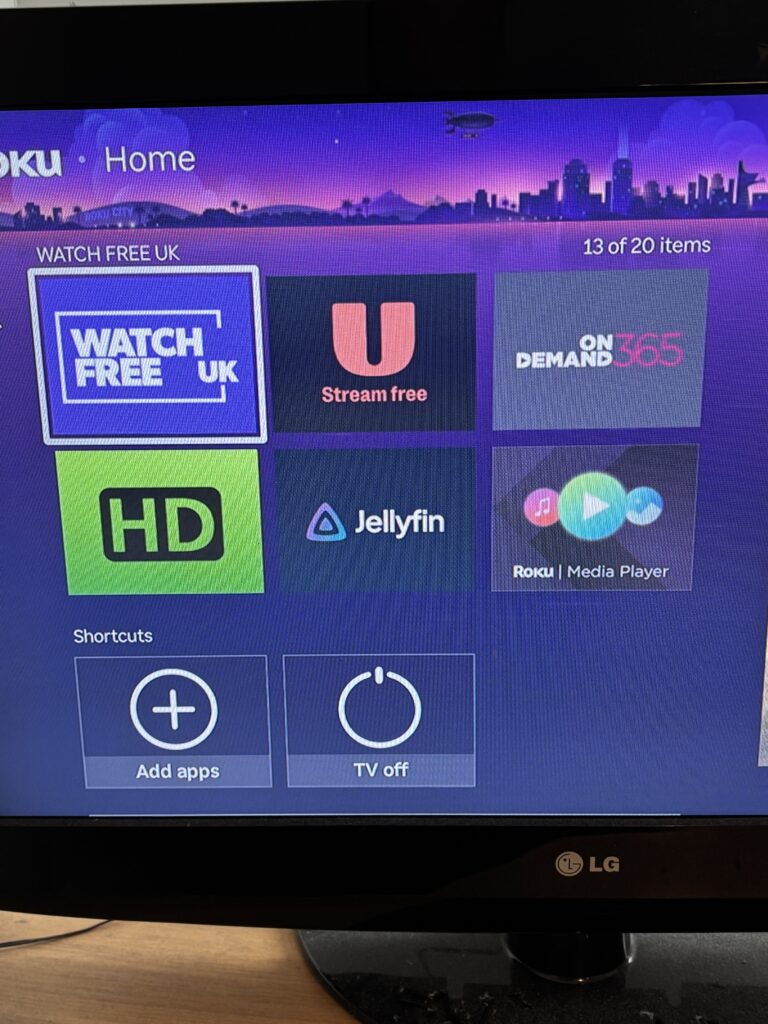
Roku Home Screen

The Roku interface is simple and fast compared to many built-in smart TV systems.
Applications are installed directly from the Roku Channel Store and updated automatically.

Apps Available on Roku

The Roku platform supports a wide range of streaming services, including:

• Roku Channel
• Netflix
• Disney+
• Apple TV
• ITVX
• Channel 4
• Channel 5
• YouTube
• Free streaming channels and on-demand services
• Additional apps depending on region

My Apps Currently Installed

UK TV Licence Information

Please note:

In the UK, TV licence rules apply depending on what you watch:

• BBC iPlayer requires a valid TV licence for any use
• ITVX, Channel 4 and Channel 5 on-demand content do not require a TV licence when watching non-live content
• Live television broadcasts generally require a TV licence

Always check official guidance if unsure, as rules can change over time.

Buying a Roku Stick Second-Hand

Many Roku users upgrade their devices over time, meaning second-hand units are often available at low cost.

Before buying used:

• Check it powers on correctly
• Confirm it has been factory reset
• Ensure the remote is included
• Check it is still supported for updates

A second-hand Roku Stick can be a very cost-effective way to upgrade an old television.

Not Just for Non-Smart TVs

Even smart TVs can benefit from a Roku Stick

Many older smart TVs suffer from:

• Slow menus
• Outdated apps
• Unsupported streaming services

A Roku Stick can provide a faster and more modern interface compared to built-in TV software, extending the useful life of the television.

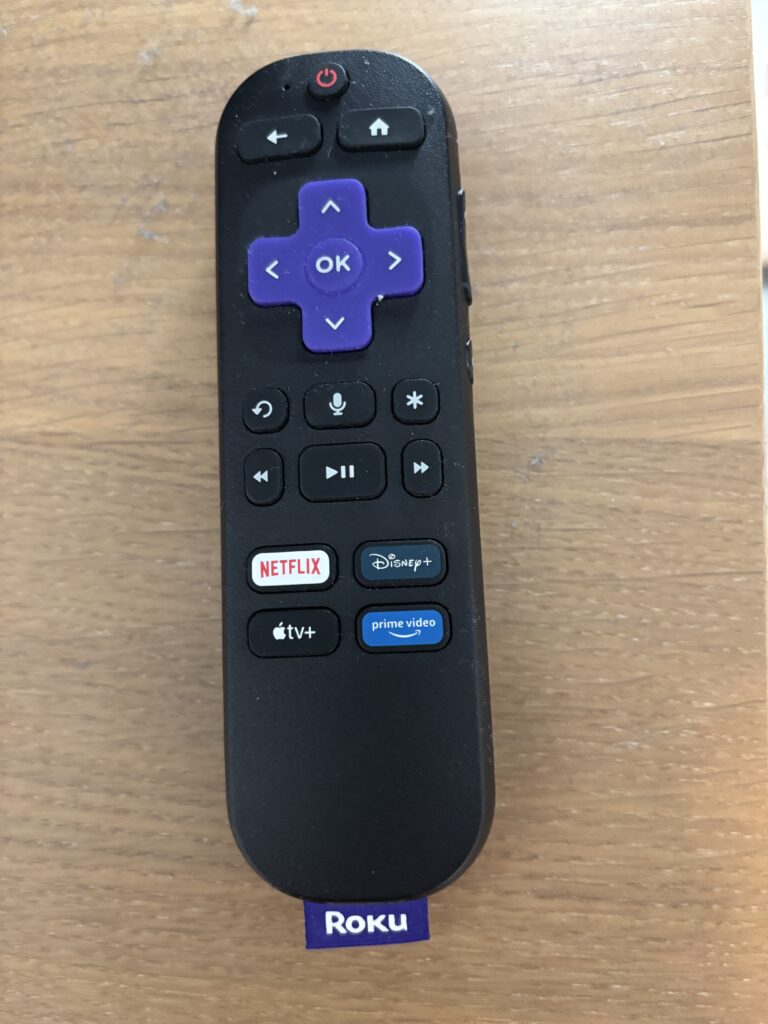
Roku Remote Control Features

During setup it may detect your TV brand (such as Samsung or LG) and allow control of:

• Power
• Volume
• Mute
• Voice Control

This reduces the need for multiple remotes.

Is It Worth It?

For around £20-£40, this setup transforms an older television into a fully functional smart streaming device.

Instead of buying a new TV, you can reuse a working screen and upgrade it with a small streaming stick.

This makes it ideal for spare rooms, bedrooms, caravans or budget setups where cost is important.

Conclusion

f your television has an HDMI port and a working USB power source, you can usually convert it into a smart TV in just a few minutes.

Using a Roku Streaming Stick provides access to modern streaming apps, a simple interface and a low-cost upgrade path that extends the life of older electronics.

For this project, a free television and a second-hand Roku Stick were enough to create a fully working smart TV setup for around £20.

Found This Useful?

If you found this useful, please consider sharing it.

InfoAbout Cookie infoContactFAQsTerms