
Description
Demo
This structure is designed to hook search engines by focusing on the “Why” and “How,” which is highly effective for long-form SEO content on product pages.
Why Choose This YouTube Auto-Embed Plugin?
The Problem: Stagnant Content and Manual Updates
Maintaining a fresh, engaging website is a constant struggle. Manually searching for new YouTube uploads, copying embed codes, and updating your site takes hours. Furthermore, standard embeds often feel clunky, lack branding, and—if you aren’t careful—show unwanted content like Shorts or irrelevant ads. Most site owners struggle to balance the need for automated video feeds with the desire for a professional, branded look.
How It Works: Streamlined Automation
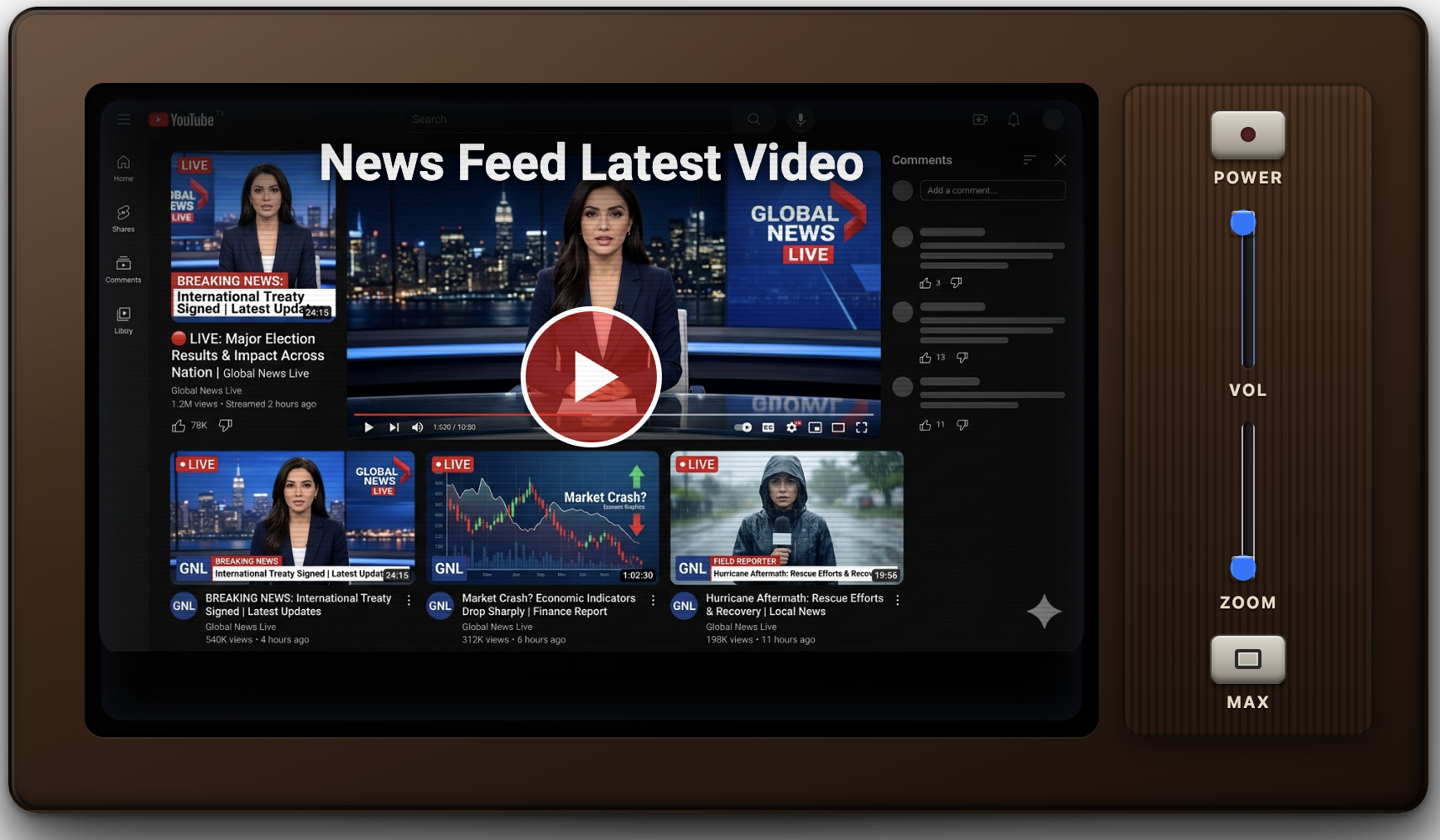
Our plugin functions as a background engine for your WordPress site. It monitors your selected YouTube channels based on the specific rules you define. Once a new video matches your criteria, it is automatically fetched and embedded using a simple, lightweight shortcode. Whether you need a YouTube news aggregator for breaking stories or a tutorial video library for your niche site, the plugin handles the heavy lifting in the background.
The Outcome: Higher Engagement and Better SEO
By implementing this solution, you achieve a more dynamic user experience that keeps visitors on your page longer. The results are clear:
-
Improved Time-on-Site: Fresh, relevant video content encourages longer sessions.
-
Automated Content Refreshing: Your site stays updated 24/7 without you ever needing to log in.
-
Professional Branding: Through custom overlays and poster images, your video feeds look like part of your site’s native design rather than a third-party afterthought.
-
Targeted Video Curation: By filtering out “noise” (like Shorts), you provide only high-value content to your audience.
Feature Highlights
-
Zero-API YouTube Integration: Achieve seamless video automation without the headache of managing complex YouTube API keys.
-
Smart Duration Filtering: Perfect your content strategy by showing only what you want—filter for long-form tutorials (10+ minutes) or quick updates (under 5 minutes).
-
“News Mode” High-Frequency Updates: Ensure your site is the first to display breaking content with optimized, high-frequency background checks.
-
Customizable “TV-Style” Overlays: Enhance your video embedding strategy with custom poster images, tune-in intros, and TV-style backgrounds that reinforce your site’s unique branding.
-
Multi-Channel Management: Configure and run multiple independent video feeds across different pages of your site simultaneously.
-
Fully Responsive Embeds: Guaranteed professional presentation across all devices, from mobile phones to high-resolution desktop monitors.
-
Total Control via Shortcodes: Simple, flexible shortcode placement allows you to drop your dynamic feeds into any post, page, or sidebar.
Reviews
There are no reviews yet.