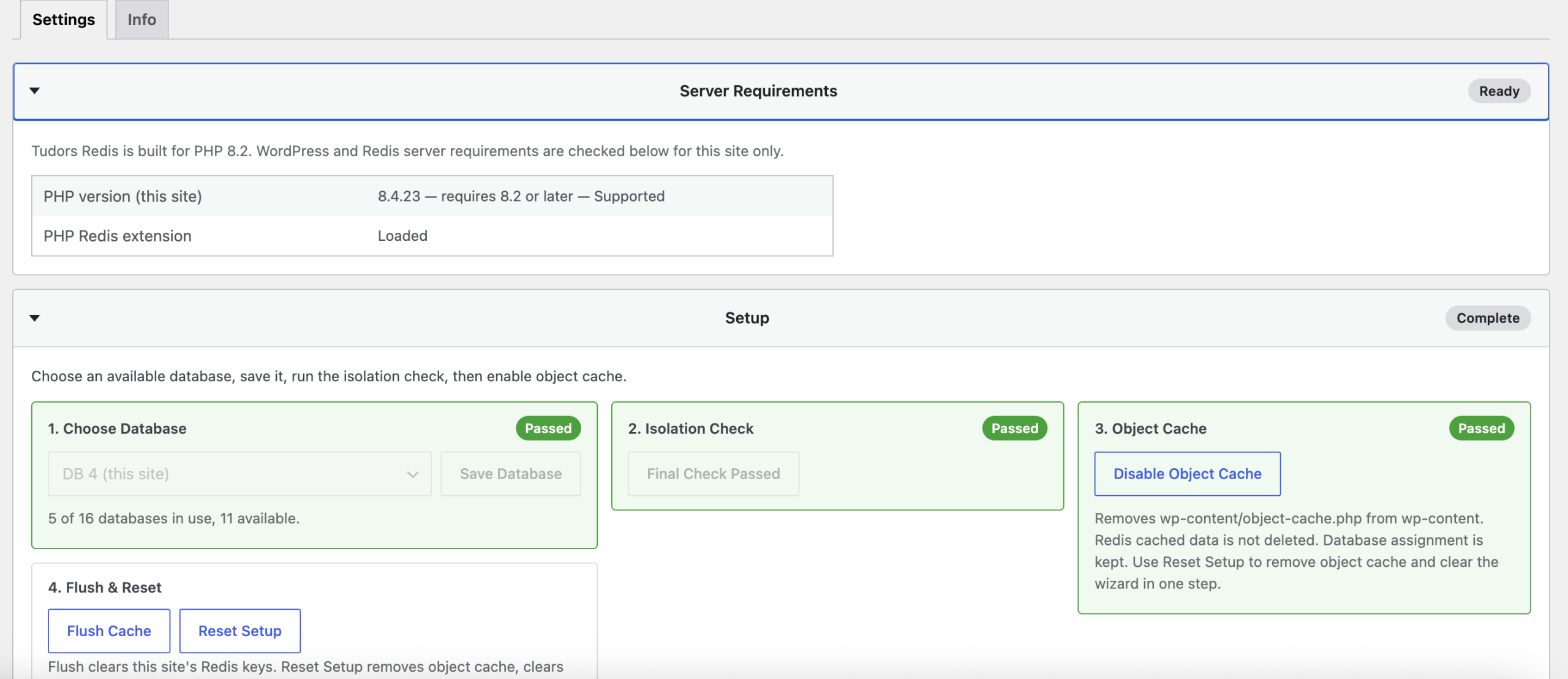

Description
Tudors Redis is a WordPress object cache plugin designed for managed hosting environments where multiple WordPress sites share Redis infrastructure.
Connect WordPress to local or external Redis servers with per-site database assignment, automatic namespace prefixes, and built-in isolation checks to prevent cache conflicts between websites.
Built for developers, agencies, hosting providers, and server administrators running WordPress on cPanel, Virtualmin, VPS, and dedicated servers.
Features
- Redis object cache integration using the standard WordPress Object Cache API
- Support for local and external Redis servers
- Per-site Redis database assignment
- Automatic cache namespace isolation
- Isolation checks before enabling object cache
- Safe prefix-only cache flushing
- Detection of shared generic cache keys
- Graceful fallback if Redis becomes unavailable
Hosting Compatibility
Works with:
- Virtualmin
- cPanel
- VPS hosting
- Dedicated servers
- Managed WordPress hosting
Requirements:
- WordPress 6.0+
- PHP 8.2+
- PHP Redis extension (
php-redis) - Redis server access
Redis can run locally:
127.0.0.1:6379
or on an external Redis server.
Designed for Multiple WordPress Sites
Share one Redis server safely:
- Site A → Redis Database 0 + unique prefix
- Site B → Redis Database 1 + unique prefix
- Site C → Redis Database 2 + unique prefix
Each website maintains its own isolated cache environment.
External Redis Support
Connect to dedicated or managed Redis servers using:
- Host
- Port
- Username (Redis 6+ ACL)
- Password authentication
For remote Redis installations, use secure networking such as private networks or VPN connections.
Guided Setup
Tudors Redis includes a simple setup workflow:
- Configure Redis connection
- Find available Redis databases
- Assign a database
- Run isolation check
- Enable WordPress object cache
Built for WordPress professionals who manage the infrastructure behind multiple websites.
Reviews
There are no reviews yet.